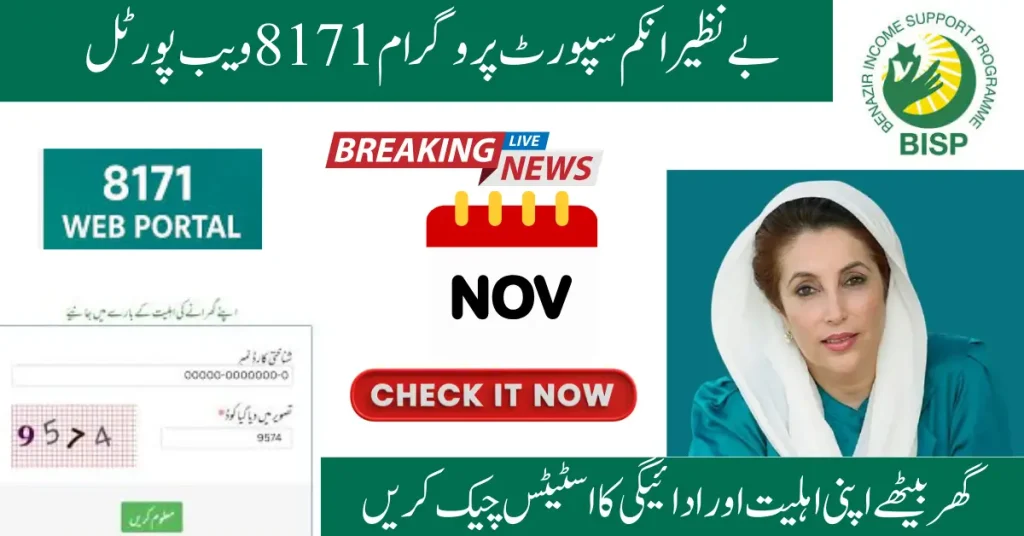
The BISP Web Portal 8171 has become an essential tool for millions of low-income families across Pakistan. It offers an easy way to check eligibility, track payments, and stay updated on official news related to the Benazir Income Support Program (BISP). Gone are the days of standing in long queues at BISP offices. The 8171 portal simplifies the entire process, making it faster, more transparent, and accessible.
With several new features introduced in 2025, this digital platform ensures better security, enhanced usability, and more payment options. In this comprehensive guide, we’ll take you through the latest updates, how to use the portal, and solutions to common issues.
The Benazir Income Support Programme (BISP) is Pakistan’s largest social welfare initiative. It provides financial assistance to low-income families to alleviate poverty and improve their living standards. Through the 8171 web portal, registered beneficiaries and applicants can easily check their eligibility, payment schedules, and track the payment status. The portal now also offers multi-language support for better accessibility.
Major Updates to the BISP Web Portal in November 2025
2025 Updates have made the BISP portal faster, more secure, and user-friendly.
Feature
2025 Update
Faster Portal Performance
Improved speed for easy access even in rural and low-internet areas.
Real-Time CNIC Verification
Instant eligibility checks integrated with NADRA for accurate data.
Multi-Language Support
Now available in Urdu and Sindhi for enhanced accessibility.
Live Payment Tracking
View live payment status, whether processed, pending, or ready for collection.
Expanded Payment Options
Payments through retail outlets, mobile wallets (pilot phase), and ATMs.
Security Enhancements
Improved CAPTCHA and encrypted data transmission for added security.
How to Use the BISP Web Portal 8171 in Nov 2025
Checking your eligibility or payment status via the portal is simple, free, and quick. Here’s a step-by-step guide:
Visit the Official Portal: Ensure you’re on the official BISP 8171 government website.
Enter Your CNIC: Type in your 13-digit CNIC number (without any dashes).
Complete the Security Code: Enter the CAPTCHA code shown on the page.
Click “Check Status”: The portal will display your eligibility and payment details.
Review Payment Information: If eligible, view the payment amount (Rs. 13,500 per quarter), payment method, and collection location.
In 2025, BISP introduced new, convenient payment options to make disbursement smoother:
Retail Outlet Payments: You can now collect your payment from designated retail outlets using biometric verification. Ensure you bring your original CNIC and a printed receipt.
Mobile Wallet Transfers (Pilot Phase): Available in selected areas, this option deposits funds directly into your mobile wallet. You can withdraw the funds through in-app transfers or via agents.
ATM Withdrawals: In certain regions, you can now collect payments from partner ATMs, available at any time.
Common Reasons for “Pending” or “Ineligible” Status
If your status shows as pending or ineligible, here are some common reasons:
Reason
Explanation
Incomplete Dynamic Survey
Make sure all household and income details are updated in 2025.
Verification in Progress
NADRA or BISP may need more time to process and confirm your eligibility.
Batch Payment Release
Payments are issued in phases. You may need to wait for your batch.
Data Mismatch
Incorrect or outdated CNIC details could cause delays in processing.
Solutions to Common Problems
Here are some quick fixes for common portal issues:
Problem
Solution
Captcha Not Loading
Refresh the page or use a different browser.
Invalid CNIC Message
Double-check your CNIC number (without dashes) and try again.
Slow Portal Speed
Try accessing the portal during off-peak hours or use mobile data.
Incorrect Payment Details
Visit your nearest BISP Tehsil Office with your CNIC for assistance.
Important Safety Tips for Beneficiaries
It’s important to stay vigilant when using the portal:
Always use the official website to avoid fake sites.
Never share your OTP codes—BISP will never ask for them through phone calls or WhatsApp.
Report any fraud or overcharging immediately to 0800-26477.
If you’re not yet registered with BISP, visit the nearest BISP registration centre or Tehsil office. Bring your CNIC and necessary documents for the dynamic survey and eligibility assessment. Stay updated by regularly checking the 8171 portal.
Final Words
The BISP 8171 web portal has transformed the way beneficiaries can check their eligibility and payment status. With features like real-time verification, multi-language support, and expanded payment methods, the platform is now more secure and convenient. Make sure to keep your CNIC updated, complete the dynamic survey, and use only official payment channels to ensure smooth benefits.
FAQ’s
Q1: How frequently are payments made? Payments are made every three months (quarterly).
Q2: Can I change my payment method? Currently, changes to the payment method are processed at BISP offices.
Q3: Is checking my status on the 8171 portal free? Yes, checking your eligibility status is completely free.
Q4: What should I do if my payment is delayed? Check the portal regularly or visit your nearest BISP office for further assistance.